The shape of it
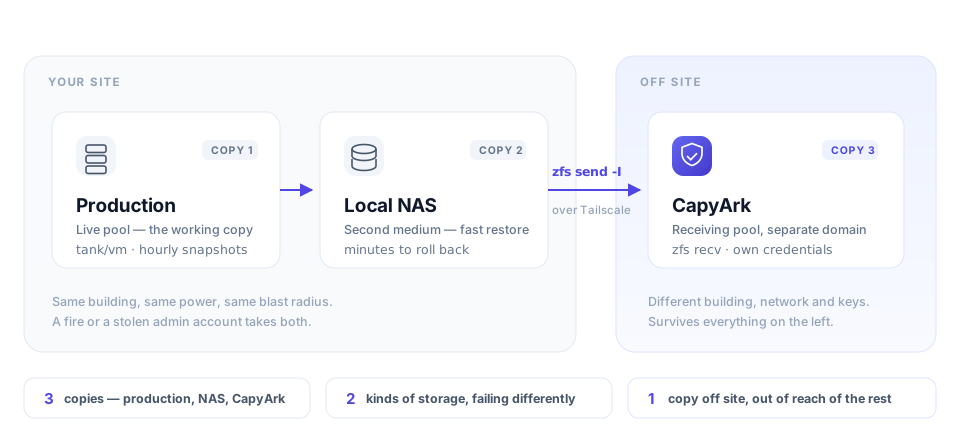
Three copies of the data
The live copy counts as one. A snapshot on the same pool does not count as a
second — it shares the disks, the controller, and the person who typed
zfs destroy -r. Two independent copies beyond production is the floor.
On two different media
Different hardware, different failure mode. Two arrays from the same batch of drives, in the same chassis, on the same firmware, fail in correlated ways — that's one medium wearing two hats. NAS plus remote pool, or disk plus tape, is two.
One copy off site
Off site means a different failure domain, not a different room. Different building, different power, different network, and ideally different credentials — so an attacker holding your hypervisor doesn't also hold your history.
Some people extend this to 3-2-1-1-0: one copy immutable or offline, and zero errors on your last verified restore. Both additions are about the same thing — a backup you haven't restored from is a hypothesis.
Why sync isn't the third copy
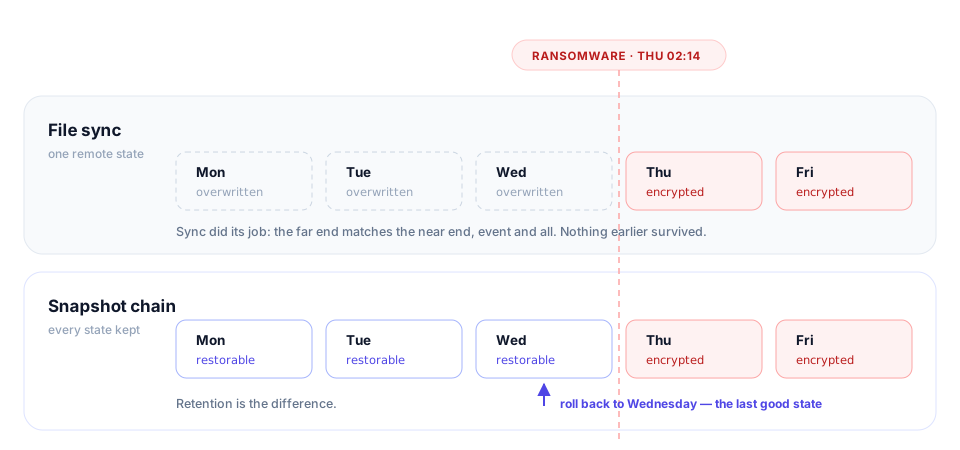
Drive, Dropbox, iDrive and friends are good at what they're for: files you're actively working on, reachable from a phone. They are not version control for a database volume, and their history windows are measured against an average consumer's mistakes, not an incident that goes unnoticed for three weeks.
What incremental actually means here
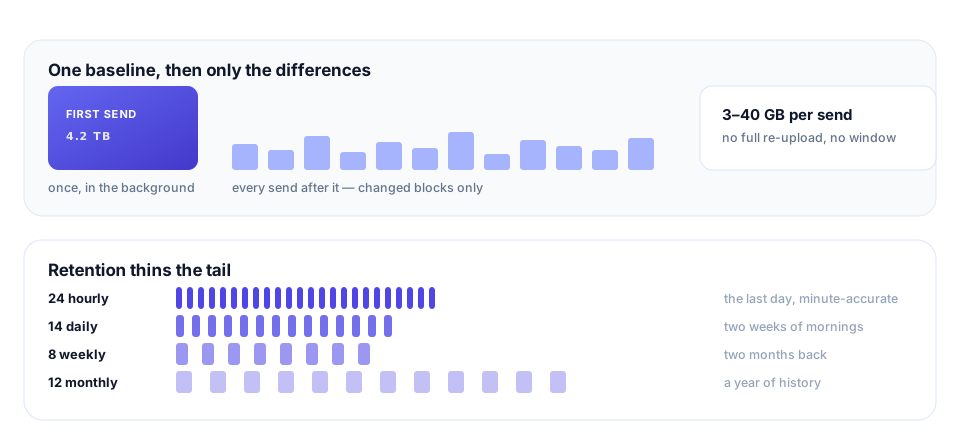
The part nobody advertises
A backup you can't prove is a backup you're hoping about. CapyArk records every send, receive, prune and restore with a timestamp and an actor, alerts when a chain stops advancing or a snapshot arrives short, and makes the last verified restore a number you can look at rather than a thing you assume.
That's the whole pitch. If that's the problem you have, get on the list. If it isn't, the 3-2-1 rule above still works, and it's free.